
Follow this tutorial to update the email address of Scheduled Tasks (Cron Jobs) in Plesk.
1. Log in to your Plesk account.
2. Click on Websites & Domains from the Sidebar Menu.

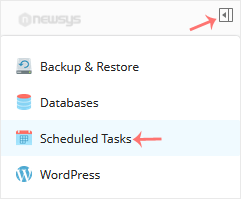
3. Click on the Pull icon in the right sidebar and choose Scheduled Tasks.
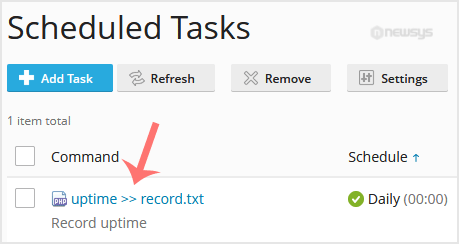
4. Under the Command list, locate your task and click on it.
5. Scroll down to the Send notifications, choose other users, and update the email address.
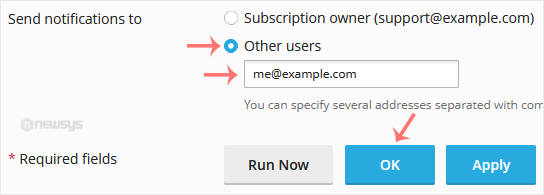
6. Click OK.
Note: If the Send notifications to option is not available, choose Every time or Errors only under Notify to enable it.