
If you have created too many FTP User accounts and some have not been used, and you want to remove certain accounts, you can accomplish it by following this tutorial.
1. Log in to your Plesk account.
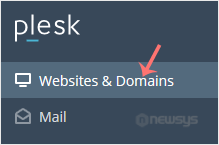
2. Click on Websites & Domains from the Sidebar Menu.
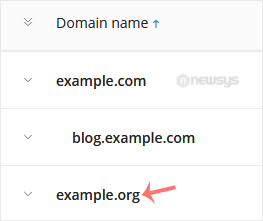
3. Under the list of Domain names, click on the appropriate domain name.
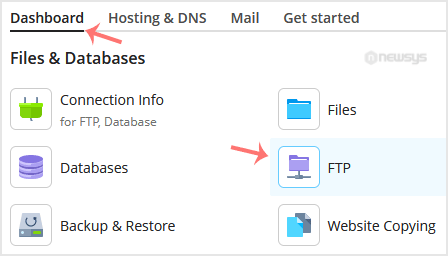
4. From the Dashboard, under the Files & Databases section, click on FTP.
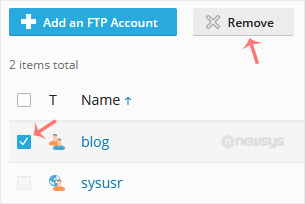
5. Checkmark the appropriate FTP accounts and click on Remove.
6. Confirm with Yes to remove the selected FTP accounts.