1. Log in to your cPanel account.
2. In the Files section, click on File Manager.
3. Navigate to the directory where your dot htaccess file is located. To edit the .htaccess file of your root directory, navigate to the public_html directory.
4. If the .htaccess file is not visible, click Settings in the top right corner of the File Manager. In the settings window, check the box next to Show Hidden Files (Dotfiles) and click Save. The .htaccess file should now be visible. If it is still not there, you can create a new one.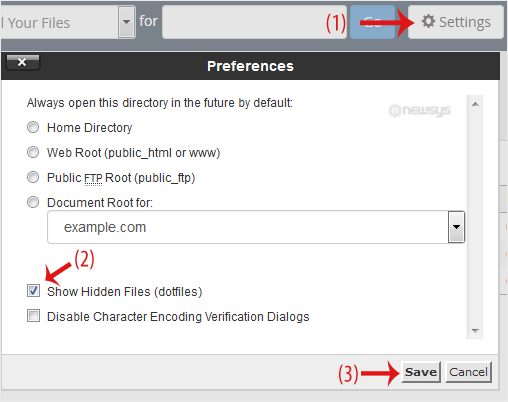
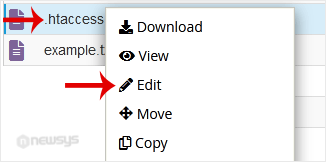
5. Right-click on the dot htaccess file and then Edit in the Context Menu.
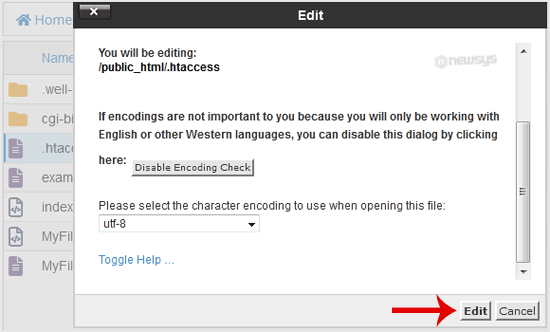
6. In a new window box, click on Edit.
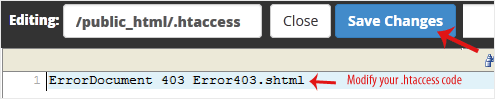
7. Make changes to your dot htaccess file and click on Save Changes.