
Follow this instruction to remove two-factor authentication from your cPanel account.
1. Log in to your cPanel account.
2. In the Security section, click on Two-Factor Authentication.
3. Click on Remove Two-Factor Authentication.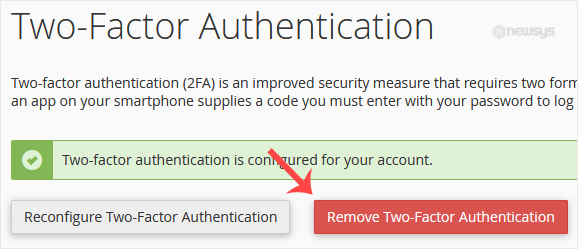
4. For confirmation, click on Remove.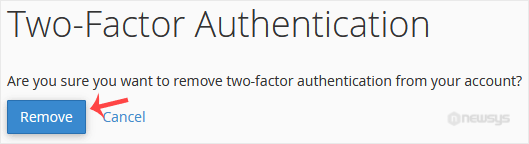
It should show a message such as Success: The system removed the two-factor authentication from your account.