
You can access your email account from DirectAdmin using two methods.
Method 1: (Automatic login)
1. Log in to your DirectAdmin Account.
2. In the E-mail Manager section, click on E-mail Accounts or type E-mail Accounts in the navigation filter box, and the option will appear. Click on it.
3. Under the Email Account list, click the Sign-in icon next to the email address.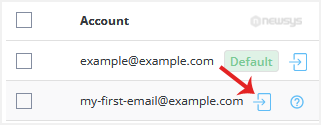
4. Your browser may prompt you to allow a popup window. Confirm it, and you will be re-directed to Webmail.
Method 2: (Username/Password is required)
1. Log in to your DirectAdmin Account.
2. In the Extra Features section, click on your preferred webmail. Alternatively, type Webmail in the navigation filter box. The option will appear.
3. Enter your full email address and password.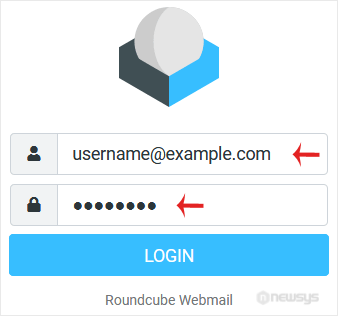
4. Click on Login.
You can manage your email account from the webmail reader.