You can enable/disable features of your customers’ cPanel account from WHM. Follow this tutorial if you do not want to provide access to PHP Setting, SSL, or anything else.
1. Log in to your WHM Account.
2. Go to Packages >> Feature Manager or type Feature Manager in the menu filter box. The option will appear. Click on it.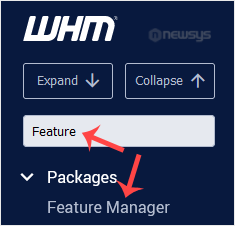
3. Under the Feature Manager list, choose your feature list from the drop-down menu and then click on Edit.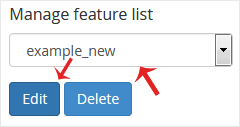
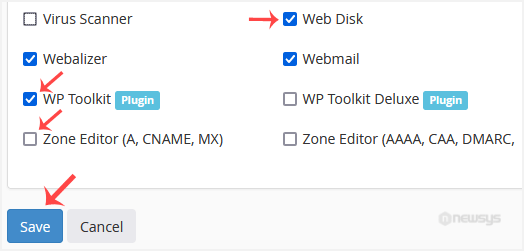
4. To enable any feature, check-mark the feature you wish to enable. For disabling, uncheck the feature you want to disable and then click on Save.